
 See Our Latest Article on HelloNation
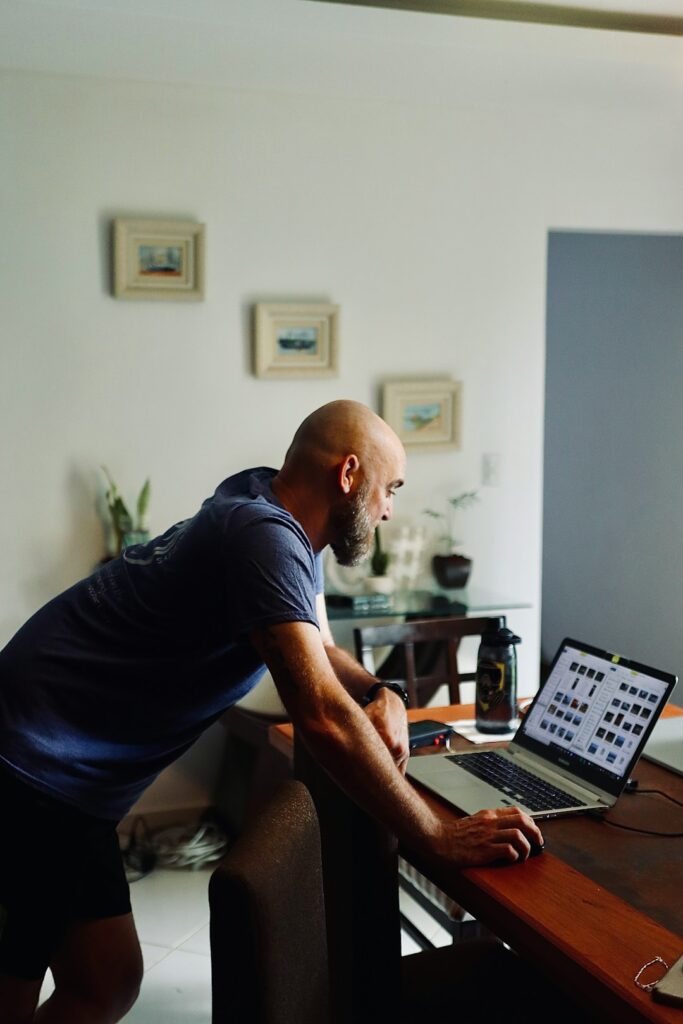
Desk work can cause real physical problems, even when the job does not involve heavy lifting or strenuous movement. Long periods of sitting, repeated keyboard use, awkward screen placement, and limited movement can gradually contribute to neck pain, back discomfort, headaches, wrist symptoms, and shoulder tension.
For residents of Shawangunk, NY, desk-related strain may affect people working from home, commuting to an office, studying, managing household tasks, or spending long winter days indoors. Understanding the early warning signs can help prevent a temporary ache from becoming a persistent limitation.
What are desk job injuries?
Desk job injuries are usually overuse or posture-related conditions that develop gradually rather than from one obvious accident. They may involve muscles, joints, tendons, nerves, or the soft tissues surrounding the spine.
Common examples include:
- Neck and upper-back strain
- Low-back pain related to prolonged sitting
- Shoulder tension and limited movement
- Wrist or hand discomfort from repetitive keyboard and mouse use
- Tendon irritation near the elbow or forearm
- Headaches associated with neck tension or visual strain
- Numbness, tingling, or weakness caused by irritation of a nerve
The term “desk job injury” does not mean that sitting is always harmful. The greater concern is remaining in one position for too long, especially when the workstation encourages the head, shoulders, wrists, or lower back to stay in an awkward position.
Which symptoms should not be ignored?
Mild soreness that improves after changing position or moving around is often related to muscular fatigue. Symptoms that persist, worsen, or interfere with normal activities deserve closer attention.
Watch for:
- Pain that lasts more than several days or repeatedly returns
- Numbness or tingling in an arm, hand, leg, or foot
- Weakness, dropping objects, or difficulty gripping
- Pain that travels from the neck into the arm or from the back into the leg
- Reduced ability to turn the head, raise an arm, or bend comfortably
- Headaches that are new, severe, or associated with visual or neurological changes
- Symptoms that disturb sleep or make ordinary tasks difficult
Sudden weakness, loss of bladder or bowel control, severe pain after a fall, chest pain, trouble breathing, or sudden difficulty speaking or walking requires urgent medical evaluation. These symptoms should not be assumed to be caused by a desk setup.
How does workstation setup affect the body?
A workstation should allow the body to remain supported while also making regular movement easy. A technically “good” chair cannot compensate for a monitor that is too low or a work surface that forces the shoulders upward.
Useful adjustments include:
- Screen height: The top portion of the monitor should be near eye level, so the head does not remain bent forward.
- Screen distance: The display should be far enough away to read without leaning toward it.
- Chair support: The chair should allow both feet to rest on the floor or on a stable footrest.
- Elbow position: Keep the elbows near the sides of the body, with the forearms supported when possible.
- Keyboard and mouse: These should be close enough to avoid reaching and shrugging the shoulders.
- Lower-back support: A small cushion or rolled towel may help fill the space between the lower back and the chair.
- Laptop use: A laptop used for long periods often creates a compromise: raising the screen can make the keyboard difficult to reach, while keeping the keyboard at desk height encourages neck bending. A separate keyboard and pointing device can help create a more balanced setup.
The goal is not to hold a rigid posture all day. A comfortable position that changes frequently is usually more practical than trying to maintain one “perfect” position.
Why is movement more helpful than perfect posture?
The body generally tolerates variety better than stillness. Even a well-aligned sitting position can become uncomfortable if maintained for several hours without interruption.
Brief movement breaks can include:
- Standing during a phone call
- Walking to another room or outside for a few minutes
- Rolling the shoulders gently
- Turning the head comfortably from side to side
- Straightening the hips and knees
- Performing a few slow, pain-free upper-back movements
- Changing from sitting to standing when the work area allows it

A short break every 30 to 60 minutes may be easier to maintain than waiting until pain becomes noticeable. Movement should be gentle and should not force a painful joint or produce increasing numbness.
During colder weather, people may spend more time indoors and move less between tasks. Heating systems can also create dry, uncomfortable environments that encourage static sitting near a computer. Building brief indoor walking and stretching periods into the day can help offset that routine.
What can help neck and shoulder pain?
Neck and shoulder symptoms often arise from a combination of forward head position, elevated shoulders, visual concentration, and stress-related muscle tension.
Start by checking whether the screen is low, the mouse is too far away, or the chair is causing the shoulders to rise. Relaxing the jaw, lowering the shoulders, and changing the viewing distance may reduce tension.
Gentle exercises may include:
- Slow shoulder blade movements
- Comfortable neck rotation without forcing the range
- Chin-tuck movements performed lightly rather than aggressively
- Chest-opening movements with the arms supported
- Short walks that allow the arms to swing naturally
Pain that travels into the arm, causes persistent tingling, or produces weakness should not be managed only with stretching. Those symptoms may involve nerve irritation and warrant a more careful evaluation.
What can help low-back discomfort from sitting?
Low-back discomfort often improves when sitting time is interrupted and the hips, knees, and lower back are allowed to change position. Some people feel better with a supportive chair; others need a small adjustment in seat height, foot placement, or desk position.
Helpful strategies include:
- Avoiding prolonged slouching or leaning to one side
- Keeping frequently used items within easy reach
- Standing and walking briefly throughout the work period
- Strengthening the hips and trunk gradually through appropriate exercise
- Using heat for muscle tightness when it feels soothing
- Avoiding complete bed rest unless specifically advised for a medical reason
Back pain after a long day does not necessarily indicate serious damage. However, pain accompanied by leg weakness, progressive numbness, loss of coordination, fever, unexplained weight loss, or a significant injury requires medical attention.
How can wrist and hand problems be prevented?
Keyboard and mouse use may irritate the tendons and nerves of the wrist and forearm, particularly when the wrists are bent upward, the grip is tight, or the same hand motion is repeated without breaks.
Keep the hands in a relaxed position and avoid resting the wrists heavily on a sharp desk edge. Move the mouse with the forearm rather than making all movements from the wrist. Alternate tasks when possible, and avoid gripping a mouse or phone more tightly than necessary.
Persistent tingling in the thumb, index finger, middle finger, or other parts of the hand may signal nerve compression. Nighttime symptoms, weakness, or frequent dropping of objects should be assessed rather than ignored.
When should someone seek evaluation?
Evaluation is appropriate when symptoms continue despite reasonable workstation changes and regular movement, or when pain is affecting sleep, work, driving, exercise, or household responsibilities.
A healthcare professional can help distinguish muscle fatigue from joint irritation, tendon problems, nerve involvement, or another condition that may need a different approach. Chiropractic care may be one part of an overall evaluation for some musculoskeletal complaints, but persistent or unusual symptoms may also require medical, neurological, orthopedic, or rehabilitative assessment.
The most useful first step is usually not a more complicated desk accessory. It is identifying the activity, position, or schedule that repeatedly aggravates the symptoms and then changing it in small, sustainable ways.
